

Kingfisher API Guide: Build With Real-Time Crypto Derivatives Data 2026
Data You Can Actually Trade Off Of. Delivered Programmatically.
The Kingfisher API gives you the same data that powers our dashboard -- liquidation clusters, GEX+ dealer positioning, open interest, funding rates, TOF/CVD -- delivered via REST or WebSocket to whatever you're building.
Trading bots. Risk management systems. Custom dashboards. Research backtests. Alert automation. If it needs real-time crypto derivatives data, this is the pipe.
Access Tiers: What You Get
Free Tier
- No API access. Dashboard only, limited assets, delayed data.
- Use this for: Learning the interface before committing.
Pro Plan ($79/month)
- 100 REST API calls/day
- All endpoints (liquidations, GEX+, OI, funding, TOF/CVD, depth)
- Python & Node.js SDKs
- Webhook support
- Use this for: Personal automation, simple alert bots, research scripts.
Elite Plan ($109/month)
- Unlimited REST + WebSocket streaming
- All Pro endpoints plus real-time push
- Production-ready for algorithmic strategies
- Use this for: Live trading bots, high-frequency monitoring, anything needing sub-second data delivery.
Sandbox environment available at api-sandbox.thekingfisher.io for testing without burning API calls.
Authentication
Generating Your Key
- Login to Kingfisher dashboard
- Settings -> API Keys
- Click "Generate New Key"
- Name it something descriptive ("Production Bot", "Research Script")
- Copy it immediately -- shown only once
Making Authenticated Requests
Every request needs your API key in the Authorization header:
Authorization: Bearer YOUR_API_KEY
Example:
curl -H "Authorization: Bearer YOUR_API_KEY" \
  https://api.thekingfisher.io/v1/liquidations/BTC?exchange=all&timeframe=1D
Security basics: Never commit API keys to git. Use environment variables. Rotate keys quarterly. If a key gets exposed, regenerate immediately from the dashboard -- old keys can be revoked instantly.
Base URLs
Production:  https://api.thekingfisher.io/v1
Sandbox:     https://api-sandbox.thekingfisher.io/v1
WebSocket:   wss://api.thekingfisher.io/v1/stream
Core Endpoints
Liquidation Clusters
Where the fuel lives. This is the endpoint most builders start with.
GET /v1/liquidations/{asset}
Parameters:
asset(required): BTC, ETH, SOL, etc.exchange(optional): binance, bybit, okx, alltimeframe(optional): 1H, 4H, 1D, 1W
Response structure:
{
  "asset": "BTC",
  "exchange": "all",
  "timeframe": "1D",
  "current_price": 67000,
  "clusters": [
    {
      "price": 64000,
      "long_liquidations": 4800000000,
      "short_liquidations": 120000000,
      "timestamp": "2026-02-01T00:00:00Z"
    },
    {
      "price": 69500,
      "long_liquidations": 95000000,
      "short_liquidations": 2100000000,
      "timestamp": "2026-02-01T00:00:00Z"
    }
  ]
}
What the numbers mean: At $64,000, there are $4.8B in long positions that will be force-sold if price drops to that level. At $69,500, there are $2.1B in short positions that will be force-bought if price reaches that level. These are not estimates -- they're aggregated from exchange order books in real time.
Build use case: Alert bot that fires when price approaches within 1% of a $1B+ cluster. Or position sizer that reduces exposure when your stop-loss would sit inside a major cluster zone.
GEX+ (Gamma Exposure)
Dealer positioning data. Exclusive to Kingfisher.
GET /v1/gex/{asset}
Parameters:
asset(required): BTC, ETHhistorical(optional): true/false
Response structure:
{
  "asset": "BTC",
  "current_price": 67000,
  "gex_profile": [
    {
      "strike": 65000,
      "gamma_exposure": -420000000,
      "total_gamma": -680000000
    },
    {
      "strike": 67000,
      "gamma_exposure": 680000000,
      "total_gamma": 520000000
    },
    {
      "strike": 68500,
      "gamma_exposure": -350000000,
      "total_gamma": -500000000
    }
  ],
  "flip_level": 68200,
  "current_gex": "positive"
}
What the numbers mean: The flip level at $68,200 is where dealer behavior changes. Below it, positive gamma (dealers buy dips, sell rips = range-bound). Above it, negative gamma (dealers amplify moves = trending). The gex_profile array shows exactly how much gamma sits at each strike.
Build use case: Regime detection system that switches strategy parameters based on whether current price is above or below the flip level. Range-trading algo in positive GEX, momentum-following in negative GEX.
Open Interest
Total derivatives exposure by exchange.
GET /v1/open-interest/{asset}
Parameters:
asset(required): BTC, ETH, etc.exchange(optional): binance, bybit, okx, all
Response highlights:
{
  "asset": "BTC",
  "total_open_interest": 28000000000,
  "exchange_breakdown": [
    {
      "exchange": "binance",
      "open_interest": 15000000000,
      "change_24h": 750000000,
      "change_percent_24h": 5.0
    },
    {
      "exchange": "bybit",
      "open_interest": 8000000000,
      "change_24h": 160000000,
      "change_percent_24h": 2.0
    }
  ]
}
Build use case: OI divergence detector. When price makes higher highs but OI makes lower highs across multiple exchanges, flag it as buyer exhaustion. Automate what skilled traders do manually.
Funding Rates
Crowd positioning revealed through payment flows.
GET /v1/funding-rates/{asset}
Response includes per-exchange rates, annualized calculations, and predicted next rate (Elite tier).
Build use case: Funding extreme alert system. When any asset's funding exceeds +/-0.05% on a major exchange, trigger notification with suggested contrarian setup parameters.
Market Depth
Order book shape at various depth levels.
GET /v1/depth/{asset}
Parameters:
asset(required)exchange(optional)percentage(optional): 0.1, 0.5, 1.0
Build use case: Spread monitoring. Detect when bid-ask widens unusually on specific exchanges -- often precedes volatility expansion or liquidity vacuum events.
WebSocket Streaming (Elite Only)
For applications that need real-time data push instead of polling.
Connection
const ws = new WebSocket('wss://api.thekingfisher.io/v1/stream');

// Authenticate
ws.send(JSON.stringify({
  action: 'auth',
  apiKey: 'YOUR_API_KEY'
}));

// Subscribe to channels
ws.send(JSON.stringify({
  action: 'subscribe',
  channel: 'liquidations',
  asset: 'BTC',
  exchange: 'all'
}));
Available Channels
| Channel | Data | Update Frequency |
|---|---|---|
liquidations | Cluster updates | Real-time |
gex | Gamma profile changes | Real-time |
open_interest | OI changes | Per exchange update |
funding_rates | Rate changes | Per funding cycle |
Message Format
{
  "channel": "liquidations",
  "asset": "BTC",
  "data": {
    "timestamp": "2026-02-01T12:34:56Z",
    "clusters": [
      {
        "price": 67000,
        "long_liquidations": 5000000000,
        "short_liquidations": 200000000
      }
    ]
  }
}
Why WebSocket matters: Polling REST endpoints every few seconds works for slow strategies. But when a cascade starts, clusters shift in seconds. WebSocket delivers those changes as they happen, not 30 seconds later when your next poll runs. For live trading bots, this isn't optional.
Webhooks (Pro+)
Don't want to run a persistent WebSocket connection? Webhooks push events to your server when conditions are met.
Setting Up a Webhook
POST /v1/webhooks
Content-Type: application/json
Authorization: Bearer YOUR_API_KEY

{
  "url": "https://your-server.com/webhooks/kf",
  "events": [
    "liquidation.cluster_proximity",
    "gex.flip",
    "funding.rate.extreme"
  ],
  "config": {
    "asset": "BTC",
    "threshold": 1000000000
  }
}
Webhook payload example:
{
  "event": "liquidation.cluster_proximity",
  "timestamp": "2026-02-01T12:34:56Z",
  "data": {
    "asset": "BTC",
    "current_price": 67000,
    "cluster_price": 66330,
    "cluster_size": 4800000000,
    "distance_percent": 1.0
  }
}
Build use case: Serverless function that receives cluster proximity webhooks, evaluates against your strategy rules, and sends Telegram/Discord notifications with entry/exit suggestions. No persistent process needed.
Rate Limits
Pro Plan (100 calls/day)
That's roughly 4 calls per hour average. Enough for:
- Hourly data pulls for 3-4 assets across all endpoints
- A few on-demand checks during active trading sessions
- Light automation (alert polling every 15-30 minutes)
Not enough for: High-frequency polling (every 60 seconds), multi-asset scanning bots, or anything approaching HFT.
Headers returned with every response:
X-RateLimit-Limit: 100
X-RateLimit-Remaining: 95
X-RateLimit-Reset: 1643721600
Check X-RateLimit-Remaining before each call. If below 10, back off.
Elite Plan (Unlimited)
Fair usage policy applies. Don't abuse it. If you're hammering the API at 10 requests/second sustained, we'll have a conversation. Normal bot usage (even aggressive) is fine.
Error Handling
Error Codes You'll Actually See
400 Bad Request:
{"error": "invalid_parameter", "message": "Invalid timeframe specified", "code": 400}
Fix: Check your parameter values against the docs.
401 Unauthorized:
{"error": "invalid_api_key", "message": "API key is invalid or expired", "code": 401}
Fix: Regenerate key from dashboard. Verify no extra whitespace.
429 Rate Limited:
{"error": "rate_limit_exceeded", "message": "Daily limit exceeded", "code": 429, "retry_after": 3600}
Fix: Implement exponential backoff. Cache responses. Consider Elite upgrade if this happens regularly.
500 Server Error: Something broke on our end. Retry with backoff. Check status page if persistent.
Retry Pattern (Python)
import requests
import time

def kf_get(url, headers, max_retries=3):
    for attempt in range(max_retries):
        try:
            resp = requests.get(url, headers=headers)
            if resp.status_code == 429:
                wait = int(resp.headers.get('Retry-After', 2 ** attempt))
                time.sleep(wait)
                continue
            resp.raise_for_status()
            return resp.json()
        except requests.HTTPError as e:
            if e.response.status_code >= 500:
                time.sleep(1)
            elif e.response.status_code == 401:
                raise  # Auth error won't fix itself
            else:
                raise
    return None
SDKs
Python
pip install kingfisher-python
from kingfisher import KingfisherClient

client = KingfisherClient(api_key="YOUR_API_KEY")

# Get liquidation clusters for BTC
liqs = client.liquidations.get("BTC")

# Find the 3 largest clusters
top_long = sorted(liqs['clusters'],
                  key=lambda x: x['long_liquidations'],
                  reverse=True)[:3]

for c in top_long:
    print(f"${c['price']:,.0f} — ${c['long_liquidations']/1e9:.1f}B long liqs")
Node.js
npm install @kingfisher/sdk
const { KingfisherClient } = require('@kingfisher/sdk');

const client = new KingfisherClient({ apiKey: 'YOUR_API_KEY' });

async function checkGEX() {
  const gex = await client.gex.get('BTC');
  console.log(`Flip Level: $${gex.flip_level.toLocaleString()}`);
  console.log(`Regime: ${gex.current_gex}`);
  return gex;
}
Full SDK documentation at docs.thekingfisher.io.
Example: Building a Cluster-Proximity Alert Bot
Here's a complete pattern that ties together several endpoints:
import requests
import time
import os

API_KEY = os.environ['KF_API_KEY']
BASE = 'https://api.thekingfisher.io/v1'
HEADERS = {'Authorization': f'Bearer {API_KEY}'}

def get_clusters(asset):
    resp = requests.get(f'{BASE}/liquidations/{asset}',
                        headers=HEADERS,
                        params={'exchange': 'all', 'timeframe': '1D'})
    return resp.json()

def get_tof(asset):
    resp = requests.get(f'{BASE}/tof/{asset}', headers=HEADERS)
    return resp.json()

def scan_for_setups(assets=['BTC', 'ETH', 'SOL']):
    setups = []
    for asset in assets:
        data = get_clusters(asset)
        price = data['current_price']

        # Find large clusters within 2% of current price
        for c in data['clusters']:
            dist = abs(c['price'] - price) / price * 100
            if dist < 2:
                size = max(c['long_liquidations'], c['short_liquidations'])
                if size > 1_000_000_000:  # $1B+
                    side = 'long_cluster' if c['long_liquidations'] > c['short_liquidations'] else 'short_cluster'
                    setups.append({
                        'asset': asset,
                        'price': c['price'],
                        'size_b': size / 1e9,
                        'side': side,
                        'distance_pct': round(dist, 2)
                    })
    return setups

# Run every 15 minutes
while True:
    setups = scan_for_setups()
    if setups:
        for s in setups:
            print(f"ALERT: {s['asset']} ${s['price']:,.0f} "
                  f"{s['side']} ${s['size_b']:.1f}B "
                  f"({s['distance_pct']}% away)")
    time.sleep(900)
This bot finds high-value clusters near current price every 15 minutes. Add TOF confirmation, GEX+ regime check, and a notification layer (Telegram/Discord webhook), and you've got a working setup scanner that runs itself.
Best Practices
Caching
Historical data doesn't change. Cache LiqMap snapshots, GEX+ profiles, and OI readings. Only fetch fresh data for real-time endpoints (TOF, current price, live clusters). Your API budget will last much longer.
Connection Pooling
If you're making many requests, reuse HTTP connections:
from requests.adapters import HTTPAdapter
from urllib3.util.retry import Retry
import requests

session = requests.Session()
retry = Retry(total=3, backoff_factor=1)
adapter = HTTPAdapter(max_retries=retry)
session.mount('https://', adapter)
Error Logging
Log every API error with timestamp, endpoint, and response code. When something breaks during a trade, you'll want to know whether it was your code, your logic, or the data source.
Monitoring
Track your call count. Know when you're approaching limits. Pro users who hit their limit mid-session lose access until reset -- plan your API budget like you plan your trading capital.
Support
- Docs: docs.thekingfisher.io -- Full API reference, more examples, sandbox guide
- Pro support: support@thekingfisher.io (24h email response)
- Elite support: In-dashboard live chat + priority email (4h response)
- Discord: Developer channel in discord.gg/kingfisher
FAQ
Q: What's the difference between REST API and WebSocket access, and which do I need? A: REST is request-response: you ask for data, you get data once. Good for periodic checks (every 15 minutes), backtesting, and simple automation. WebSocket is persistent real-time streaming: data pushes to you the instant it changes. Essential for live trading bots where seconds matter -- when a cascade starts, clusters shift in real-time and polling every 30 seconds means stale data. If you're building anything that executes trades or makes real-time decisions, you need WebSocket (Elite tier only). If you're building alert systems or end-of-day analysis tools, REST (Pro tier, 100 calls/day) is sufficient.
Q: How many API calls does a typical bot strategy actually consume? A: Depends heavily on polling frequency. A conservative bot checking 3 assets every 15 minutes during 8 active hours = 96 calls/day (well within Pro's 100 limit). Same bot checking every minute = 1,440 calls/day (needs Elite). The pattern we see: most users start on Pro, build their first bot, hit the limit within a week, and upgrade to Elite. If you're serious about algorithmic trading, start on Elite -- the unlimited calls plus WebSocket access is worth the $30/month difference within days of active development.
Q: What programming languages does the Kingfisher SDK support?
A: Official SDKs for Python (pip install kingfisher-python) and Node.js (npm install @kingfisher/sdk). Both provide typed clients, automatic auth handling, built-in retry logic, and direct access to all endpoints. For other languages (Go, Rust, C#, etc.), use the REST API directly -- it's standard JSON over HTTPS with Bearer token auth, trivially implementable in any language with an HTTP library. Full SDK documentation and API reference at docs.thekingfisher.io.
Q: What's the actual latency I can expect from Kingfisher's WebSocket feeds? A: Sub-200ms from exchange data ingestion to your WebSocket client under normal conditions. This includes our processing pipeline: raw exchange data ingest → normalization → calculation (cluster aggregation, GEX computation, ToF scoring) → push to your WS connection. For context: most retail-facing crypto data APIs deliver at 500ms-2s latency. Institutional terminals target sub-50ms. Our sub-200ms puts us in the professional tier while remaining accessible to retail algo traders. Latency spikes during extreme volatility (cascade events) when calculation load increases, but rarely exceeds 500ms even then.
Q: Can I use Kingfisher data commercially or in products I sell to others? A: API access is for personal trading use and internal tooling. Reselling KF data, embedding it in commercial products, or offering KF-powered services to third parties requires a separate commercial license agreement. If you're building tools for your own trading (even managing others' capital), standard API tiers cover you. If you're building a SaaS product, trading signals service, or anything where KF data reaches end users who aren't you, contact us at partnerships@thekingfisher.io for commercial licensing terms. We're generally flexible for legitimate use cases -- just ask before launching.
Get API Access | Read Full Docs | Start Free Trial
Related Articles
Przekształć Swoją Strategię Krypto
Wykorzystaj Potęgę Kompleksowej Inteligencji Rynkowej The Kingfisher!

Słownik
Poznaj kluczowe pojęcia i koncepcje z naszego kompleksowego słownika handlu kryptowalutami.
Przeglądaj Słownik →Powiązane artykuły

Getting Started on The Kingfisher: Stop Being Exit Liquidity
What problem does Kingfisher solve? See how liquidation maps reveal where price will go BEFORE it moves there. Stop getting hunted by whales. Start trading with an edge in 10 minutes.

Options Skew Templates for Perp Traders: Complete Guide to Using Skew Data on Kingfisher
Master options skew data for perpetual futures trading. Learn how to read and use Skew templates on Kingfisher, understand different template types (Basic, Vanilla, Premium), when each template works best, and how to combine skew analysis with LiqMap confirmation for high-probability crypto trading setups.

How to Interpret the Leverage Effect in Crypto Markets
The leverage effect explained: why negative returns create more volatility than positive ones, how chain liquidations work, and what Kingfisher's data tells you about leverage risk.
Toxic Order Flow Bitcoin: Detect Market Manipulation in Real-Time
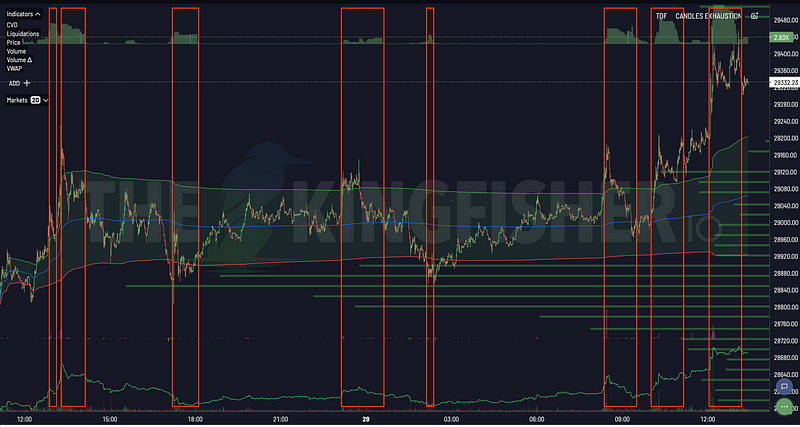
Stop being exit liquidity. Learn how toxic order flow (TOF) reveals when whales are hunting retail traders. Practical guide with step-by-step interpretation and trading strategies.