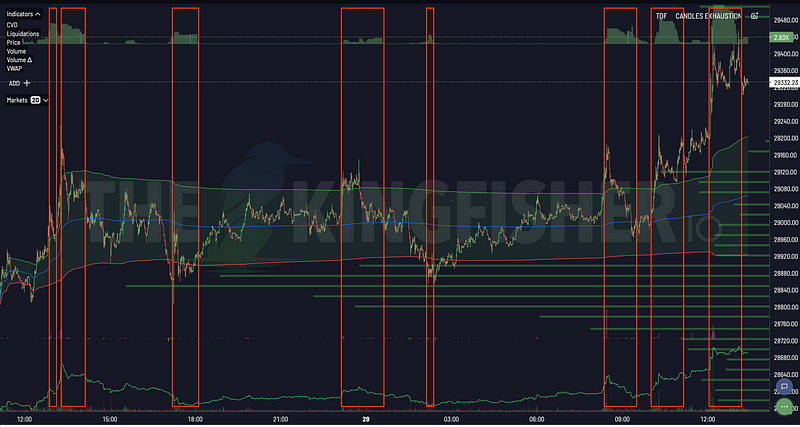


The Number Every Leveraged Trader Ignores
You open a 10x leverage long on $BTC at $67,000. You have a thesis, a target, and perhaps a stop-loss.
But do you know the liquidation threshold for your position? An exchange can start reducing or closing a position when its maintenance-margin test fails. That threshold differs from the bankruptcy price, where a position's margin is depleted, and it does not tell you the exact amount you will lose.
Kingfisher's liquidation calculator gives an exchange-specific price for the inputs you provide before you enter a trade. See where forced selling sits right now on the live Solana liquidation map.
What Happens When You Get Liquidated
The Mechanics (No Fluff)
When you open a leveraged perpetual position, you post margin to support a larger notional exposure. A USDT-margined contract gives you price exposure to that notional; it does not mean the exchange lends you the underlying asset. At 10x, $1,000 of initial margin supports about $10,000 notional before fees and risk-tier requirements.
- You post margin (collateral) to open the position.
- Your position's notional sets the scale of its profit and loss.
- An adverse price move reduces position or account equity.
- The exchange checks equity against maintenance-margin rules for the contract and margin mode.
- If the relevant risk test fails, the exchange may reduce or take over positions under its liquidation process.
Exchanges can trigger liquidation from mark price or account-level margin tests. The result depends on the contract, maintenance tier, fees, margin mode, available balance, and venue rules. Kingfisher's calculator returns exchange-specific liquidation prices for the selected inputs; the exchange's own risk engine controls live liquidation.
The Formulas (So You Understand What You're Risking)
Isolated Margin (Simpler, Safer)
Each position has its own allocated margin. Under the venue's rules, a loss on one isolated position does not draw on the rest of the account to support that position.
For this approximation, assume a linear position in isolated mode, no added margin, no fees or funding, and no tier changes. Hold the maintenance requirement constant at entry notional multiplied by the assumed rate. A venue that values maintenance at the current mark price uses a different equation; these formulas are teaching examples, not its risk engine:
Long position:
Liq Price = Entry x (1 - 1/Leverage + Maintenance Margin %)
Short position:
Liq Price = Entry x (1 + 1/Leverage - Maintenance Margin %)
Illustration (not an exchange quote):
- Entry: $67,000
- Leverage: 10x
- Notional: $10,000
- Assumed flat maintenance margin: 0.5%
- Margin: $1,000
Liq Price = $67,000 x (1 - 1/10 + 0.005)
         = $67,000 x (0.905)
         = $60,635
$6,365 below entry. This simplified result excludes exchange-specific maintenance tiers, close fees, funding, and account effects. Binance's published USDⓈ-M calculation uses position tiers and a maintenance amount; see its liquidation-price calculation.
Cross Margin (Dangerous, Complex)
Cross margin shares eligible account equity across positions under each exchange's rules. A loss on one position can reduce the buffer available to support the rest.
The formula depends on:
- Net position across all pairs
- Unrealized PnL across everything
- Account balance
- Exchange-specific account maintenance-margin ratio and liquidation procedure
There is no universal rule that an exchange liquidates the position closest to a displayed price first. For example, Bybit says cross and portfolio liquidation trigger when account maintenance-margin ratio reaches its threshold; its displayed liquidation prices are dynamic references. Read the venue's liquidation rules before using a cross-margin estimate.
Isolated mode limits which margin supports a position. Cross mode shares account equity and can expose collateral across positions. Kingfisher's calculator supports both modes; use the matching venue, contract, and account inputs.
Why Exchange Choice Matters for Your Liq Price
Exchange rules vary by contract, margin mode, position tier, fees, and account balance. Binance publishes tiered maintenance rates and maintenance amounts; Bybit distinguishes the liquidation trigger from the bankruptcy price used by its liquidation engine. A flat maintenance-margin percentage cannot represent every position on a venue. Check the current Binance calculation and Bybit liquidation and bankruptcy-price rules.
Use the exchange and margin mode you trade. Kingfisher's calculator compares exchange-specific outputs across major venues for the settings you provide.
Using the Kingfisher Liquidation Calculator
Step-by-Step
Step 1: Select your exchange and margin mode
This is where most people mess up. Binance isolated and Binance cross are different animals. Double-check which mode you're in before calculating.
Step 2: Enter your position details
- Entry price (where you're getting in or where you got in)
- Position size (notional value)
- Leverage
- Direction (long or short)
Step 3: Read the output
- Liquidation price, The number that matters
- Distance to liq, How much room you have (%)
- Margin required, What you need to put up
Step 4: Make decisions based on reality
Less distance between entry and the estimated liquidation threshold leaves less room for an adverse move. No single percentage applies to every contract or account. Compare the estimate with your planned loss, stop trigger, available margin, and venue rules before you choose a size.
Pro Moves With the Calculator
Anti-liq sizing: Choose a price move you want the position to withstand, then adjust notional and margin against that scenario. A fixed distance such as 10% does not fit every asset, venue, or margin mode.
Partial-close planning: Recalculate after a partial close. The remaining size, realized P&L, and whether the exchange keeps that P&L in margin can change the displayed threshold.
Portfolio view: Include all positions and relevant balances when you review cross-margin risk. Correlated positions can lose value at the same time, while each venue applies its own account-level rules. The same math with your own inputs is built into the live liquidation map.
Real Scenarios: What the Calculator Tells You
Scenario 1: The Aggressive Long
Asset:     BTC/USDT
Model:     Simplified isolated formula above, with a flat 0.5% maintenance-margin assumption
Entry:     $67,000
Size:      $20,000 notional
Leverage:  10x
Direction: Long

Illustrative Output:
Liquidation Price:   $60,635 (-9.5%)
Margin Required:    $2,000
Distance to Liq:     -9.5%
Illustration: The model places the threshold at $60,635, or 9.5% below entry. A planned stop at $63,000 sits $2,365 above that estimate, but a stop trigger does not guarantee a fill at its trigger price. Exchanges may use different trigger references for stops and liquidation. Bybit explains this mark-price and stop-trigger difference.
Scenario 2: The Dangerous Short
Asset:     ETH/USDT
Exchange:  Bybit
Entry:     $3,400
Size:      $15,000 notional
Leverage:  20x
Direction: Short

Illustrative Output (flat 0.5% maintenance-margin assumption):
Liquidation Price:   $3,553 (+4.5%)
Margin Required:    $750
Distance to Liq:     +4.5%
Illustration: The simplified formula gives $3,553 at 20x. At 5x, with the same $15,000 notional and a $3,000 initial-margin assumption, it gives $4,063, or 19.5% above entry. Both results assume a flat 0.5% maintenance rate and exclude fees, funding, and venue-specific tiers. They are not Bybit account quotes.
Scenario 3: Cross-Margin Portfolio Trap
Positions:
- BTC Long:  $20K notional @ 10x
- ETH Short: $10K notional @ 5x
Account:    $5,000 balance
Exchange:   Binance Cross
These details do not determine a first liquidation price. A cross-margin calculation also needs current account equity, mark prices, unrealized P&L, open orders, contract tiers, fees, and other positions. The venue's account-level margin test and liquidation process determine whether it reduces or closes positions.
Funding Rates: The Hidden Liq Mover
Perpetual funding is settled at contract-specific intervals, often every eight hours. At each settlement, the fee is based on position value and the funding rate. For many linear contracts, the venue uses the mark price to value the position. The Binance funding guide and Bybit funding calculation document these mechanics.
Positive funding usually means longs pay shorts; negative funding reverses the payer. A payment can reduce isolated margin or cross-account equity, depending on venue and mode. That can reduce the buffer and increase liquidation risk, but it does not move every position's threshold by one fixed amount. Rates, notional, settlement intervals, and account balances can change.
Impact:
- The paying side loses the funding amount at settlement; the receiving side gains it.
- If the venue deducts a payment from margin or account equity, the liquidation estimate may change.
- Check the contract's current funding interval and payment rules; some intervals change with market conditions.
Kingfisher's calculator can include expected funding in projections. Treat a projection as a scenario: future rates, position value, and account balances can change before the next settlement.
Funding Rate Explained: Calculate, Predict, and Profit from Crypto Funding walks through this in more detail.
Liquidation Calculator vs. Stop-Loss: Use Both
| Liquidation Calculator | Stop-Loss Order | |
|---|---|---|
| Purpose | Know your WORST case | Control your ACCEPTABLE loss |
| Control | Indirect (via sizing) | Direct (price level) |
| Timing | Pre-trade calculation | Set at entry or after |
| Execution | The liquidation engine uses venue rules and available liquidity | A stop trigger does not guarantee a fill at its trigger price |
Best practice workflow:
- Run the calculator before entry and note the venue, contract, and margin mode.
- Choose a stop trigger reference and execution type that fit the venue's rules.
- Size the position for a planned loss that includes fees, funding, and possible slippage.
- Leave room between the planned stop and estimated liquidation threshold, while recognizing that no fixed buffer guarantees an exit before liquidation.
Example:
- The simplified model estimates a threshold at $60,635
- You set stop at $63,000
- Distance between stop and the model threshold: $2,365
- A stop fill may differ from the trigger price, so the realized loss can differ from the planned loss.
- If liquidation begins first, the venue follows its own risk process; liquidation price and bankruptcy price are not the same in every venue or mode.
Common Calculator Mistakes
Mistake 1: Ignoring Price Gaps
Crypto markets trade around the clock, but prices can move sharply when liquidity thins or a venue has an outage. A stop trigger activates an order; it does not promise execution at the trigger price. A market stop can slip, while a limit stop can remain unfilled. Check the venue's order type and trigger reference. Bybit documents that the final execution price can differ from a trigger price and that mark-price liquidation can occur before a last-price stop triggers.
Defense: Model adverse moves and execution slippage with your own contract and order settings. No fixed percentage buffer guarantees an exit before liquidation.
Mistake 2: Wrong Exchange Mode
You calculated using Binance isolated settings but you're trading Binance cross margin. Your actual liq price is different because cross margin pools all your positions together.
Defense: Triple-check your exchange AND mode before trusting any calculation.
Mistake 3: Post-Trade Amnesia
You calculated liq at entry. Then price moved in your favor. You took partial profits. Did you recalculate?
Closing part of a position realizes P&L and changes the remaining size; it does not necessarily change the remaining contracts' average entry. The effect on the displayed liquidation price depends on how the venue applies realized P&L and margin. Adding to a position changes its size and may change its average entry and maintenance tier.
Defense: Recalculate after every position modification. Takes 30 seconds. Saves your account.
Calculator + LiqMap: The Full Picture
The calculator estimates your account's liquidation threshold for its inputs. LiqMap models areas where liquidation triggers may cluster across the market. A cluster is not a list of confirmed open positions and does not guarantee a cascade or a particular price move. Use the two views as separate risk inputs:
- Run calculator, Know your liq price
- Check LiqMap, See if there's a massive cluster near YOUR liq price
- If the modeled zone overlaps your risk level. Review your size, planned exit, and order trigger settings. The model cannot say that a specific cluster will trigger or that your order will fill.
- If no cluster appears nearby. Keep the same account and execution checks. A map cannot rule out price moves or liquidity changes.
Example:
- Your calculated liq: $45,000
- LiqMap shows $500M long cluster at $44,800
- Read: The model shows a concentration near your estimated threshold. A move through the zone could coincide with forced position reductions, but the map does not guarantee their size or timing.
- Plan: Recheck your position inputs and stop execution settings. Do not treat a lower liquidation estimate as a way to make a cluster safe.
This is risk management with eyes open. Most traders trade with them shut.
FAQ
Why do different exchanges give me different liquidation prices for the same position?
Exchanges can use different maintenance tiers, close-fee allowances, price references, contract rules, and margin modes. For example, Binance publishes tiered maintenance rates and amounts, while Bybit's cross-margin liquidation trigger uses account maintenance-margin ratio. Kingfisher calculates exchange-specific liquidation prices across major exchanges for the contract and settings you provide. Compare the same notional, margin mode, and account inputs; the displayed result can change when venue rules or account state change. See the official Binance and Bybit explanations.
What's the difference between isolated margin and cross margin liquidation?
Isolated mode uses the margin allocated to that position under the exchange's rules. Cross mode can share eligible account equity across positions. Its risk test may use account-level maintenance margin rather than one fixed price for each position. A displayed cross-margin liquidation price can change with account equity, unrealized P&L, open orders, and other positions. The exchange's rules decide which positions it reduces or closes; do not assume every venue liquidates the position nearest a displayed price first. Bybit describes its cross-margin risk calculation.
How close to my liquidation price should I set my stop-loss?
No single percentage guarantees an exit before liquidation. Exchanges can trigger liquidation from mark price while a stop uses last price or another reference. A market stop can fill away from its trigger, and a limit stop may not fill. Check the trigger and execution settings for your venue, then leave room between the planned stop and the estimated liquidation threshold. Bybit documents both mark-price liquidation and the difference between trigger and execution prices.
Do I need to recalculate my liquidation price after taking partial profits?
Recalculate after any partial close, add, or margin transfer. A partial close changes remaining size and realizes P&L; the effect on liquidation depends on whether the venue keeps that P&L in the position or account margin. An added position can change average entry, notional, and maintenance tier. Enter the updated account state in Kingfisher's calculator.
How does combining the Liquidation Calculator with LiqMap help me assess risk?
The calculator gives your exchange-specific liquidation price for the inputs you provide. LiqMap displays modeled liquidation clusters. If a modeled zone sits near your account threshold, review your exposure and exit plan. The map does not confirm open positions or guarantee a cascade, fill, or bounce. The two tools show different estimates, so do not use a crowd cluster as a substitute for your account's exchange data.
Bottom Line
Check the liquidation estimate before you enter, then compare it with your planned loss, stop trigger, and margin mode. The calculator models your position from the inputs you provide. LiqMap shows modeled market-wide clusters. Neither can guarantee an order fill or predict the next price move.
Calculate Your Liquidation Price | Explore All Kingfisher Features
Related:
- Coinglass Alternatives: 4 Platforms Compared
- Liquidation Maps: Where Fuel Lives
- Position Size Calculator
- Stop Getting Liquidated
- Leverage Trading Guide